MYUAV Tethered Power System for Drone
User Manual
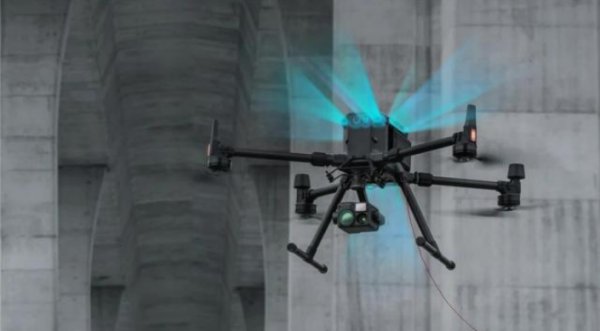
DJI M350 tether drone system
Contents
Read The Instructions
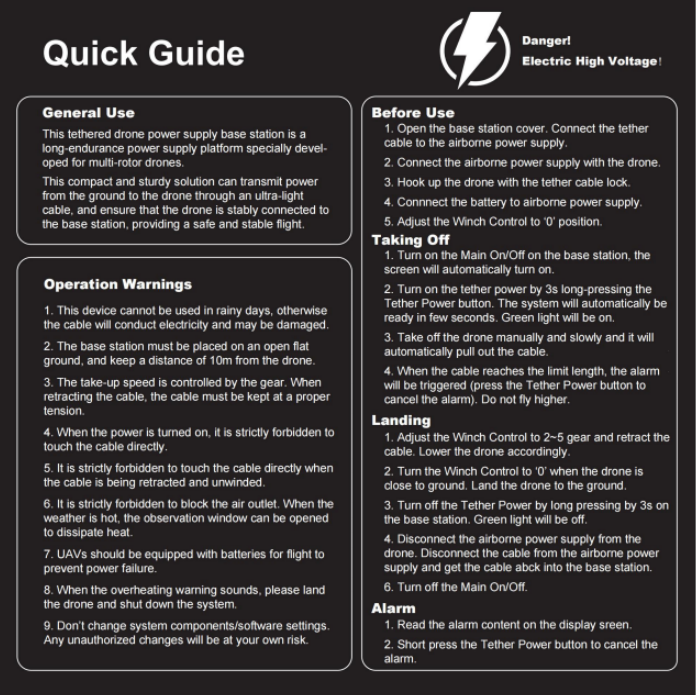
It is recommended to read the Quick Guide sticker before first time use. Prepare for your first flight by reviewing the User Manual for more details.
General Use
LG55 is a rugged tethering station for multi-rotor drones. This compact and robust solution enables the transmission of power from an external ground power supply unit to the drone through the micro-tether. The core of the micro-tether ensures the drone remains attached to the base station
providing a safe phase of flight.
Open The Box
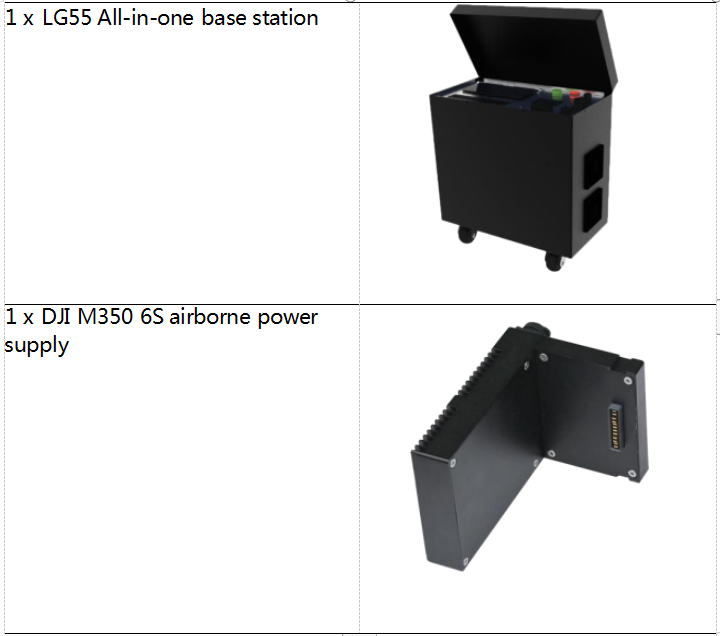
Product list
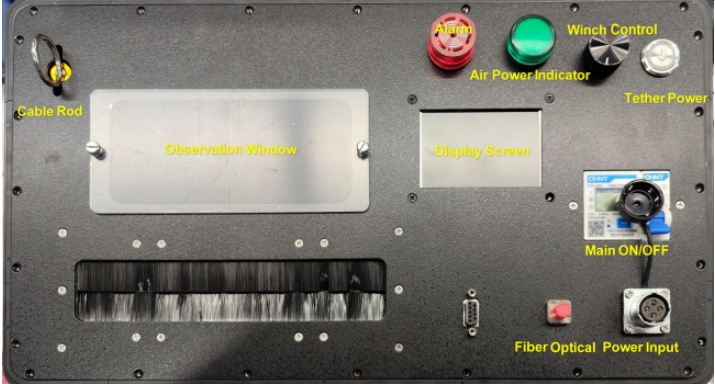
The ground station user interface includes below controls.
1) Power Input: The power input should be connected to 220V~50Hz. An
emergency, unplugging the cable can cut the power supply to the station.
2) Main ON/OFF: When it is activated, the station will work but NO power is to the tether cable to secure the safety of users.
3) Tether Power: ON- power to the cable. OFF- power off the cable.
. Long press for 3s to power on.
. Long press for 3s to power off.
. Short press to release the alarm.
Atention. Seriousinjury couldoccurifthe micro-tetheris manipulatedonce the poweris switchedON.
 4) Winch Control: It can control the winching speed of the tether.
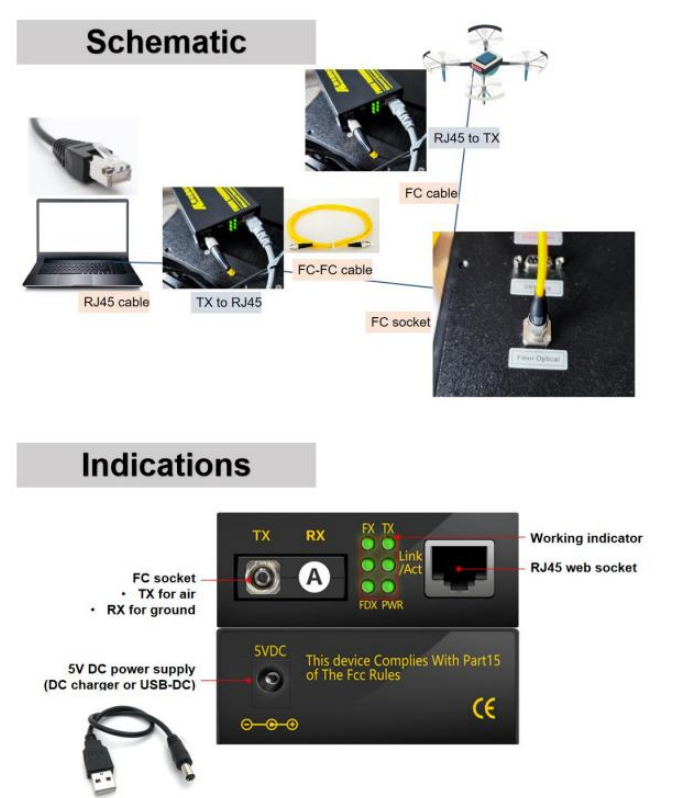
5) Fiber Optical: It can be used to transfer data via the cable with the drone.
6) Alarm (Red): The buzzer alerts the user to an alarm. The alarm content will be displayed on the screen.
Atention. Short press the Tether Powerbuton to release the alarm.
7) Power (Green): Long press the Tether Power button so as to ignite the
power to tether cable. This green light will be on, which means the power is transferred to the cable.
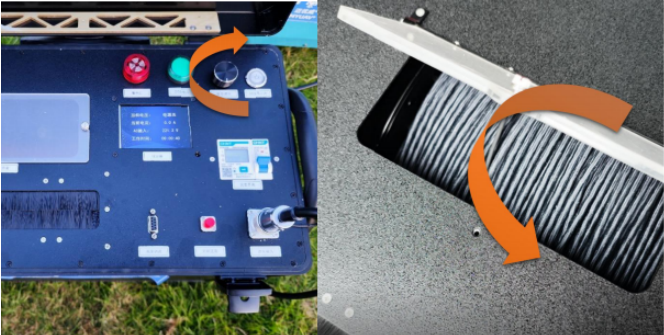
8) Observation Window: To observe the status of tether cable. It can be open up if the environment temperature is above 35 ℃ .
9) Display Screen: To display information such as, current, voltage, temperature, cable length released and alarms.
Before use
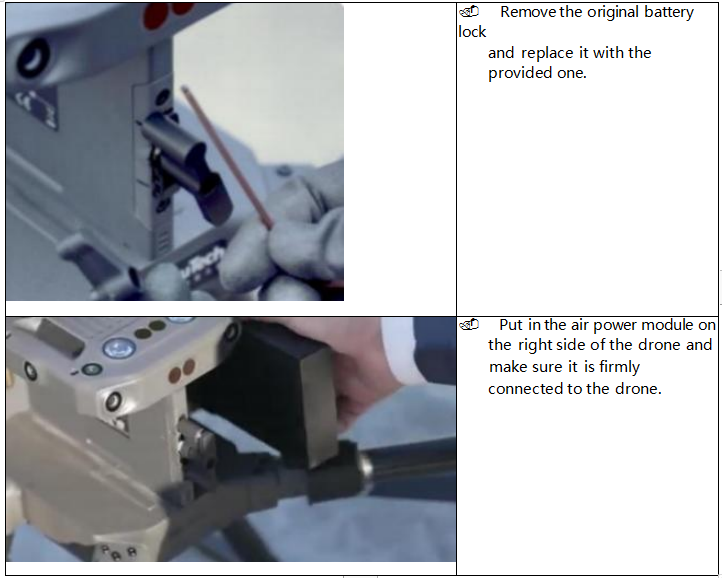
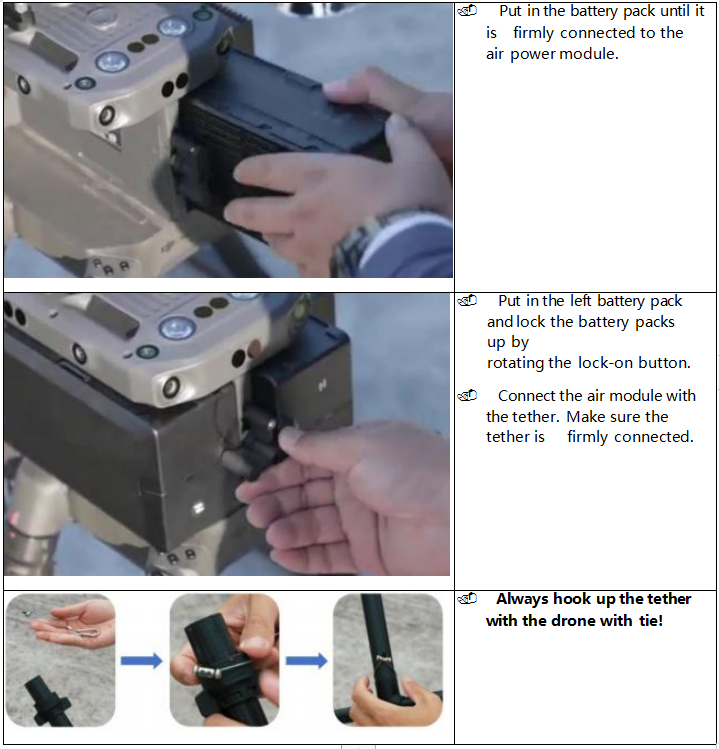
1. Open the base station cover. Pull out the cable and connect the socket to the airborne power input. Connect the airborne power supply with the drone.
Connect the backup battery to the airborne power supply.
2. Adjust the winch control to the "0" position on base station. If not, the alarm will be on.
! Atention. Please start the generator andwaitfor 3~5 minutes.
Taking off
3. Turn on the System On/Off on the base station, the screen will automatically
turn on.
. Screen display description
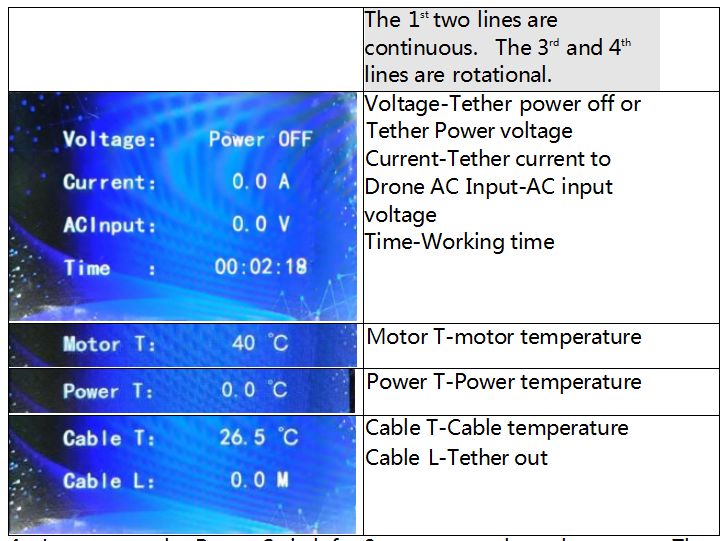
4. Long press the Power Switch for 3s to turn on the tether power. The system will automatically be ready in few seconds. The green light will be illuminated to indicate the tether power is on. You can read the increasing voltage data on the screen.
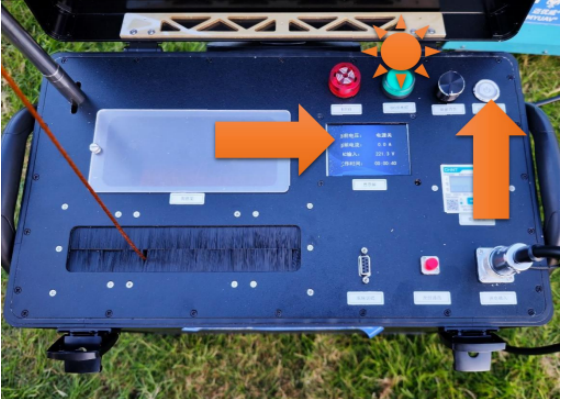
Atention. Please watchthe greenlight onduring the droneis hovering. Ifthe greenlight isoit means the tether powerisoThe droneis
poweredby the batery now.
5. Take off the drone manually and slowly and it will automatically pull out the cable.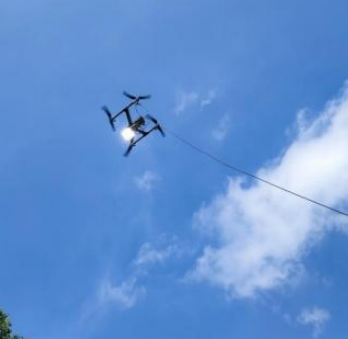
! Atention. Please take ofthe drone slowly in case ofpuling the tether toohard. It may cause unbalance ofdrone anddrop-down may occur.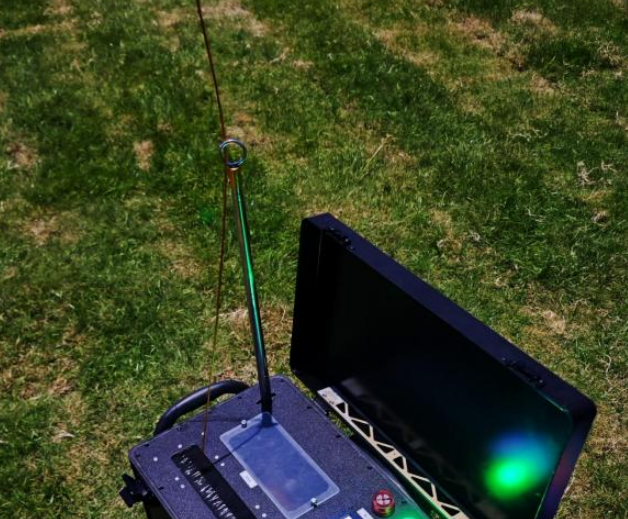
! Atention. Forinside cooling, the observation window mustbe open, and release the tether cable more than 50 meters. |
6. When the cable reaches the warning length, the alarm will be triggered (press the power switch, the alarm will be canceled). Do not fly higher. Lower the drone. |
! Atention. Watchthe tether throughthe observation window ifneeded. |
Landing
7. Adjust the Winch Control and lower the drone at the same time to retract the cable.
! Atention. Watchthe tension ofthe tether. Keep the tether not too tight in case ofdrop-down ofthe drone. |
8. Turn off the Winch control when the drone is close to the ground. Land the drone to the ground. |
! Atention. Do not touchthe tetherbefore the power switchis turnedo |
9. Long press and turn off the Power Switch on the base station. The green light will extinguish and you can see the voltage on the screen goes to ‘ Power
OFF ’. The tether power will die away in seconds.
10. Retract the rest tether before you switch off the Safety On/Off.
11. Disconnect the airborne power supply from the drone. Disconnect the cable from the airborne power supply.
! Atention. Cut ofthe power ofthe station. Thendisconnect the cables.
How to use fiber connection
Transportation
No bumping and water entering during the transportation of this equipment. It must be packed in aviation aluminum box during transportation or take
damping treatment, or the warranty does not cover.
Operation warnings
1. This device cannot work on rainy days, otherwise the cable will conduct electricity and may be broken.
2. Put the base station in open flat ground and leave at least 10m distance away from the aircraft.
3. The cable pulling speed is controlled by winch control. When
releasing/pulling the cable, you must keep the cable in a suitable tension to prevent winching and pulling the aircraft.
4. No touching the cable directly when the power is on.
5. No touching the cable directly when it is moving.
6. Blocking air outlet is strictly prohibited. The observation window can be opened for heat dissipation when hot.
7. The aircraft should be equipped with battery in case of power-off.
8. When the overheating warning is ignited, please withdraw the aircraft and shut down the system in minutes.
9. Do not change the system components/software settings. Any risk caused by unauthorized change will be covered by yourself.